
Resetting your Clicker garage door keypad can help you regain access and improve security. If you forgot your entry code or your keypad is acting up, this guide is here to help. Many homeowners deal with this issue, and learning how to reset Clicker garage door keypad systems is easier than it seems. You can restore your garage access and feel secure again with simple steps.
This guide will show you exactly what to do clearly and safely. You will learn how to reset the keypad based on your model, plus get helpful tips to avoid future problems. We’ve added helpful troubleshooting tips to make fixing issues quicker and easier for you. Follow this guide and fix your keypad quickly.
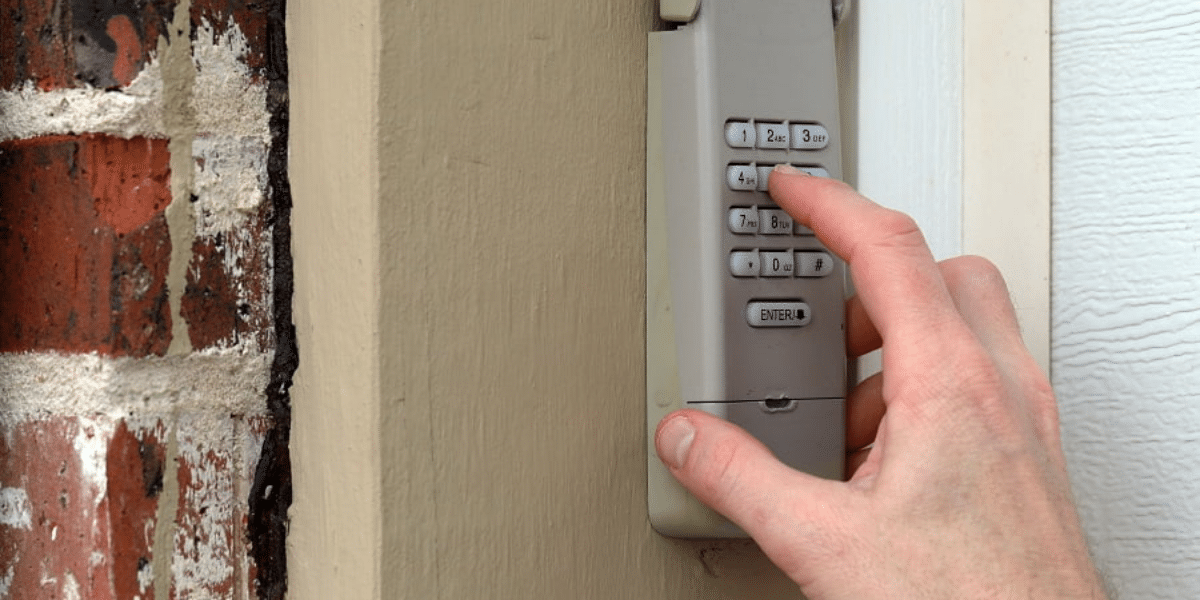
Understanding Your Clicker Garage Door Keypad
Before you reset anything, take time to understand how your Clicker garage door keypad works. These universal keypads are made to work with many garage door opener brands. Knowing how yours works helps you follow the right steps and avoid mistakes.
Clicker keypads work with most garage door opener systems, but different models can have slight differences. Always check your keypad model before starting. Use the user manual or label on the back to find details. This will ensure that you follow the correct steps for garage door opener compatibility and reset.
What to Do Before You Reset Your Clicker Garage Door Keypad
Before you reset your Clicker keypad, it’s smart to take a few easy steps to stay safe and ensure smooth operation. Follow these steps to reset your garage keypad safely and avoid any problems.
1. Disconnect the Power
Always unplug the garage door opener or switch off the breaker. This keeps the door from accidentally moving while you’re working on the keypad.
2. Use a Stable Ladder
You will need to reach the garage door opener motor. A sturdy ladder helps you access the Learn button and other controls without risk.
3. Keep the Mmanual Nearby
You won’t need tools, but having the manual for your universal garage keypad is helpful. It shows where buttons are and helps if something doesn’t work right.
4. Know Your Keypad Model
Clicker keypads come in a few versions. Knowing your model makes sure you follow the right reset steps for your garage door opener compatibility.
5. Check for Battery Power
Some Clicker keypads use batteries. Before resetting, open the back and ensure the battery is working so the keypad will respond after resetting.
Step-by-Step Guide to Resetting Your Clicker Keypad
Resetting your keypad is simple when you know the steps. If you’re wondering how to reset Clicker garage door keypad devices, just follow the guide below for a smooth setup.
Step 1: Find the Learn Button
Find the small colored “Learn” button on your garage door opener‘s motor unit. It’s usually near the back or under the light cover. You may need to open the lens to see it.
Step 2: Press and Hold the Learn Button
Press and hold the Learn button for about six seconds until the LED light shuts off. This step clears old access codes from memory to safely add a new one.
Step 3: Set a New Code Using the Keypad
After the light goes off, enter your new code within 30 seconds. Press the “Enter” key right after. If the light flashes once, it means your new code works.
Step 4: Test the New Code
Back away from the garage door. Then, type your new code on the keypad. If the door opens or closes, your reset works. If not, try repeating the steps.
Now you’ve completed the reset, your Clicker keypad should be ready to go. Always keep your code safe and reset it again if you ever need to change it.
Fixing Common Clicker Garage Door Keypad Problems
If your Clicker garage door keypad still does not work after a reset, don’t worry. Try these quick fixes to solve common problems and get things working again.
1. Check the Battery
If your keypad is not working, the battery might be dead. Replace it with a fresh one to see if that brings your keypad back to life.
2. Look for Damage
Check the keypad for any damaged buttons, cracks, or frayed wires that might affect how it works. Cracks, rust, or weather damage can stop it from working and may require garage door repair or replacement.
3. Test Compatibility
Not all keypads work with every opener. Double-check that your Clicker keypad is compatible with your garage door opener using the manual or product label.
4. Reset it Again
If nothing works, repeat the reset steps. Hold the Learn button long enough to ensure your code is entered within the reset time window.
5. Clean the Keypad
Dirt or moisture can block the keypad from working. Wipe it clean with a dry cloth and make sure no buttons are stuck or sticky.
These simple Clicker keypad troubleshooting steps can help fix most issues. If the problem continues, you might need a new keypad or benefit from a garage door repair expert.
Maintaining Your Clicker Garage Door Keypad
Keeping your Clicker garage door keypad in good shape helps avoid problems later. You can make it last much longer with just a few easy habits.
1. Replace the Battery Yearly
Change the battery once a year or when the keypad seems slow. A weak battery is one of the most common reasons for the keypad not working.
2. Keep it Clean and Dry
Wipe the keypad with a dry cloth to remove dust or dirt. Moisture and grime can affect performance or lead to stuck keys and failure.
3. Test it Every Month
Press a few buttons monthly to make sure your Clicker keypad responds. This helps catch problems early before you get locked out unexpectedly.
4. Check for Damage
Look for cracks or signs of weather damage. Fix or replace worn-out parts to keep your universal garage keypad working smoothly through every season.
5. Use a Keypad Cover
Using a cover helps shield the keypad from sunlight, rain, and dust, keeping it clean and working longer. It’s a simple way to extend the life of your Clicker garage door keypad.
Doing regular Clicker keypad maintenance helps avoid issues and keeps your garage secure. A few minutes each month can save you from future headaches.
Improve Security with Your Clicker Garage Door Keypad
Properly using your Clicker garage door keypad can help improve your home’s security. Always pick a strong code that’s hard to guess. Avoid using easy numbers like 0000 or your street address. These simple steps help stop unwanted access and improve garage keypad security.
Update your keypad code every 6 to 12 months to secure your garage. If your model has rolling code technology, be sure to enable it. This feature changes the code after each use, making it harder for intruders to gain access.
When to Replace Your Clicker Keypad
Sometimes, resetting your Clicker keypad is not enough. Here are signs that it may be time for a complete replacement:
- It Stops Working Often: If the garage door keypad keeps freezing or does not respond, it may be a faulty one that needs to be replaced.
- Buttons are Worn or Cracked: Cracked or faded buttons can cause wrong entries and security risks. This is a sign to upgrade your garage keypad.
- It’s Over 10 Years Old: Older keypads may lack updated features. A Clicker keypad replacement can give you better safety and improved performance.
- The Cover is Damaged: A broken or loose cover can let in water and dirt, damaging the inside and causing complete failure.
- You Want Better Features: New models have rolling code technology and improved compatibility. Upgrading gives you better control and secure garage door access.

FAQs: How to Reset Clicker Garage Door Keypad
Can I reset my Clicker keypad without the original code?
Yes, you can reset your Clicker keypad without knowing the old code. Just press and hold the Learn button on your new garage door opener to clear the memory. Then, reprogram your keypad with a new access code for secure entry.
How is my Clicker keypad compatible with my garage door opener?
Clicker keypads are designed to be universal, meaning they work with most major garage door opener brands. To ensure compatibility, check the label on your garage opener and match it with the model listed in your Clicker keypad manual or packaging.
How long does it take to reset a Clicker keypad?
Resetting a Clicker garage door keypad usually takes under five minutes. Once you locate the Learn button on the opener, it only takes a few steps to clear old codes and set up a new one successfully and securely.
How do I troubleshoot a non-responsive Clicker keypad?
If your Clicker keypad is not working, first check the battery. Then, clean the buttons, inspect for damage, and reset the keypad. If it’s still not responsive, make sure it’s compatible with your garage door opener and reprogram it properly.
Why won’t my new code work on the Clicker keypad?
If your new code doesn’t work, the Learn button may not have been held long enough, or the code may not have been entered in time. Also, check for keypad battery power and make sure your opener’s memory was properly cleared before reprogramming.
Conclusion
Resetting your keypad is a small step that brings big benefits. Whether you forgot your code or want better security, learning how to reset Clicker garage door keypad systems puts control back in your hands. It’s fast easy, and keeps your garage access safe and updated.
If your keypad is still giving you trouble or you’re unsure what’s wrong, don’t wait until it fails. Affordable Garage Door Repairs Indianapolis is here to help with reliable service and expert advice. We’ve got you covered for quick fixes and dependable garage door repair in Indianapolis, IN.
Take a few minutes today to test, clean, or reset your keypad. Simple steps like these can prevent bigger problems later. If you need help or a full inspection, contact us anytime. Let’s ensure your garage is safe, secure, and always working right.
End Note
Looking for reliable and affordable garage door service is easy with Affordable Garage Door Repairs Indianapolis. We handle everything from keypad resets to full garage door repairs and installations. Our team also offers expert garage door opener repairs and installation to keep your system running smoothly and safely daily.
We go beyond quick fixes with complete garage door replacement, routine maintenance, and dependable service for both residential and commercial garage doors. If you’re upgrading, check out our complete line of new garage doors to match your home or business style. Visit our services page to find out how we can assist you, and see our gallery to view recent work.
We proudly serve the entire region, which you can explore on our Areas We Serve page. Learn more about who we are on our About page, browse helpful answers on our FAQ, or get fresh tips on our Blog. Stay connected on Facebook, Instagram, Twitter/X, or Yelp. Ready to get started? Contact Us today for your garage door solutions. We’re always here when you need us most.
Affordable Garage Door Repairs of Indianapolis, LLC
1111 E 54th St suite 171, Indianapolis, IN 46220, United States
+13173725337